Reverse Engineering a "Secure" Exam Browser
i sure love RCE'ing myself
Introduction
Recently, I was invited to take a online coding assessment, which required installing an exam browser to lock down your system.
Pretty understandable, considering the rampant cheating going on lately, so I completely support the idea, however...
Unpacking
I prefer to audit any random software I run on my PC, especially if its main goal is something that could be considered "malicious". Let's unpack the browser to see what it's doing.
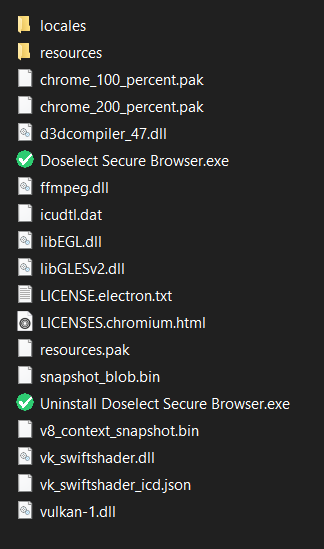
Seems to be a fairly standard electron app, so should be easy to unpack and examine.
	cd C:\Users\User\AppData\Local\Programs\doselect-secure-browser\resources
	npx asar extract .\app.asar unpacked
After unpacking, we get this, which is... concerning.
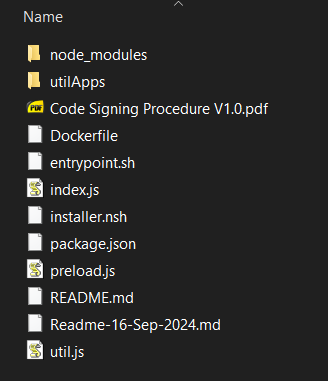
First of all, they seem to have included a confidential internal company document in here. Inside the binary of a publicly available app... won't be discussing those here though.
There's also a Dockerfile and a couple of READMEs that obviously shouldn't be here, but nonetheless, nothing too interesting there.
Examining the Browser
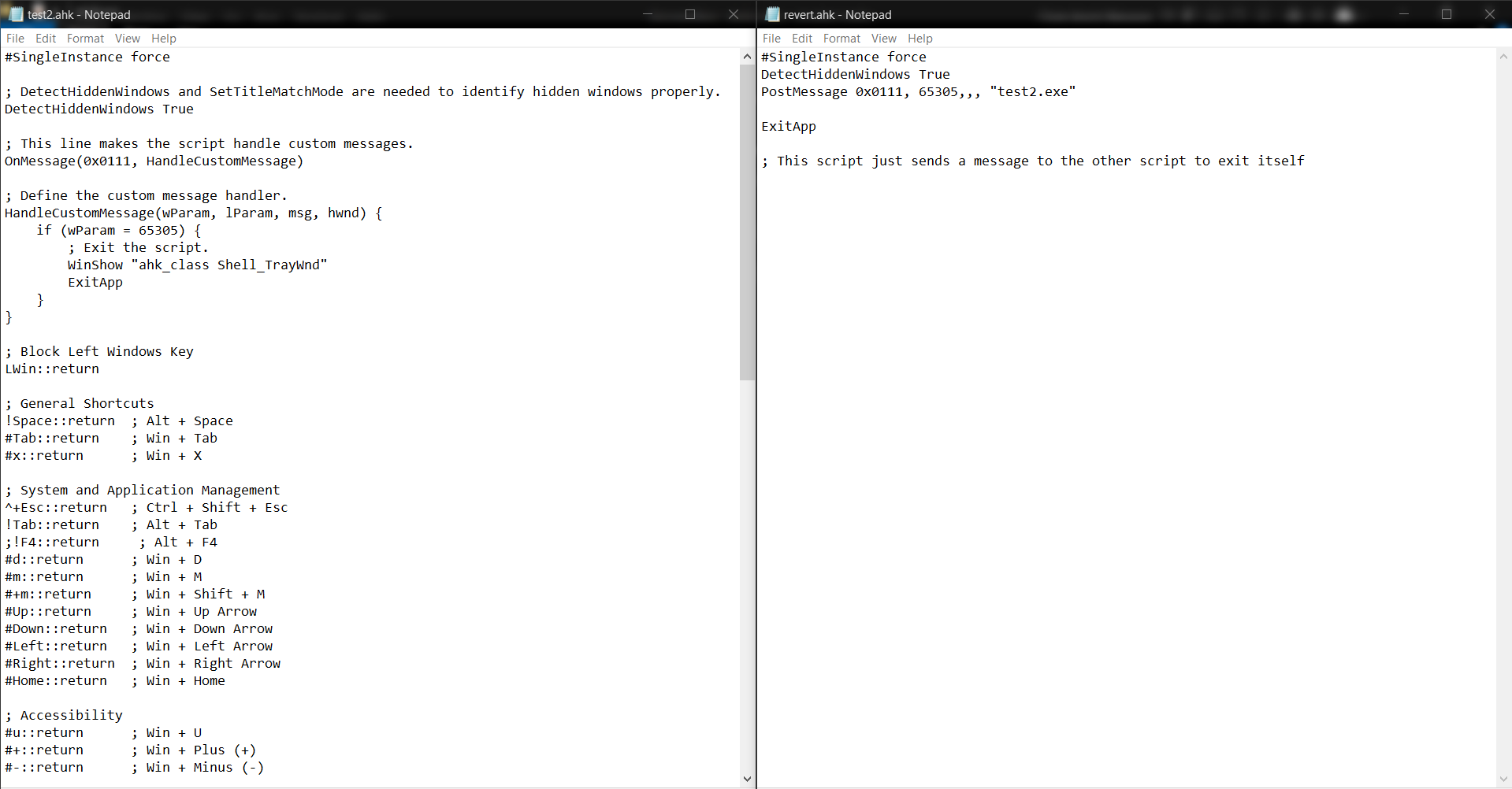
Well, let's get onto the actual examination though. Checking the utilApps folder reveals how they're blocking keystrokes like Alt+Tab, or switching Virtual Desktops.
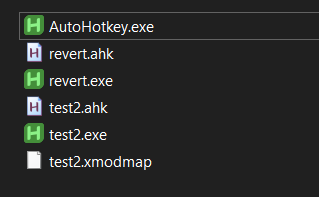
For whatever reason, they seem to have also accidentally included the AutoHotkey compiler in here, which they don't disclose, so this technically goes against the GNU GPL v2 license, but whatever.
On Windows, they use 2 compiled AutoHotkey scripts, one for disabling the hotkeys, and one that reverts the changes on exit.
On linux systems, they choose to use the approach of using a custom xmodmap file for blocking hotkeys, which is fine, but has the same issue of persisting in case of an app crash until a reboot. They block individual keys here though which is more extreme than blocking hotkeys.
The Real Problem
Well, the index.js looks fairly standard at first glance. It checks if you have a compatible OS, runs the hotkey disabling script depending on your OS, and then opens the browser.
Then you look closer and it's doing something that's kinda dangerous. This handler in particular:
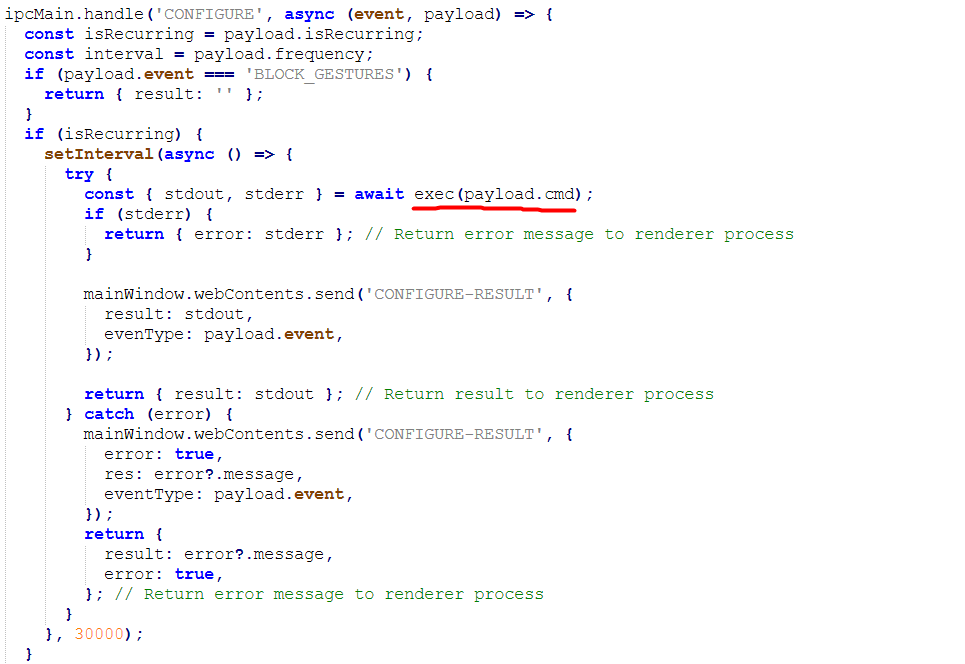
On receiving this 'CONFIGURE' event, it executes commands from the server on your PC, remotely. This is... essentially the definition of remote code execution, and they have ZERO protections in place, nothing is verified before running.
They most likely do this so they can remotely update the commands to run without having to push an update to the browser, but wow. Here's the 4 commands I discovered during my usage by logging them:
- The first one (CONFIGURE_APPS) checks if any apps from a specific blacklist are running in the background. They check for names like "ChatGPT", "Discord", and "OBS". It's not like you could just rename a .exe file, right?
- The second one (CONFIGURE_DISPLAY) checks if you have more than one monitor enabled.
- The third one (NOTIFICATION) checks if notifications are enabled. This seems to be broken on certain versions of Windows 11 and always reports you to be "cheating", since the registry key they check seems to not be updated on new Windows 11 versions, and doesn't even exist on my Windows 10 PC.
- The last one (BLOCK_GESTURES) was intended to block the 3-finger and 4-finger gestures for switching apps or desktops, but they did it by modifying the registry. They seem to have disabled it since it was clearly a pretty bad idea.
How bad is this?
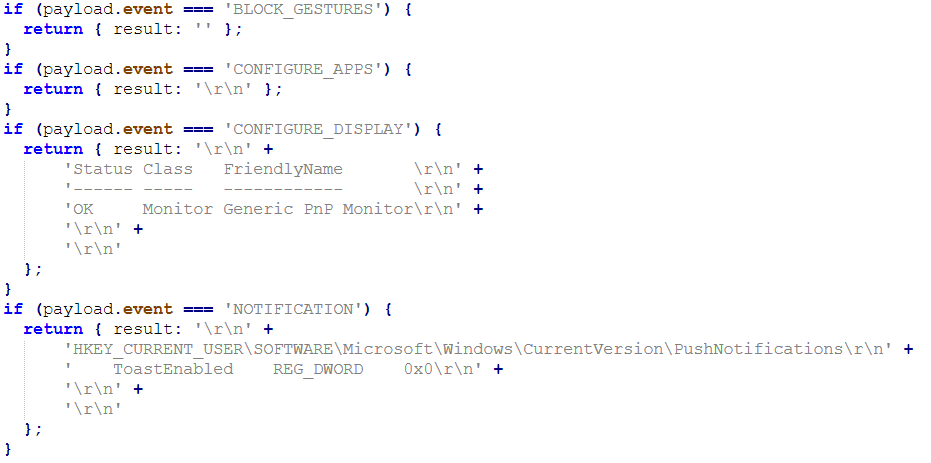
Well, it's not as bad as I made it sound, but doing it this way doesn't make it any easier to bypass their "security". In fact, you can do it pretty trivially by modifying the command handler like so, just to return the expected values:
Conclusion
What mainly irks me is the incredibly naive approach they're using, it's like they lack all concept of "secure software development" and just think "well that seems to work, whatever now".
What is gonna come of this? If I had to take a guess, at most, they'll just obfuscate their browser's code to shove the issue under the rug. And hopefully get rid of those confidential documents at least...